Designed for old portraits
The model recognizes common visual patterns in faces, clothing, interiors, plants, and skies to propose a coherent palette.
AI photo colorizer
Add plausible, natural-looking color to old portraits and family pictures online. No painting skills, account, or watermark—just upload, review, and download.
No signup · No watermark · JPG, PNG and WebP up to 10MB
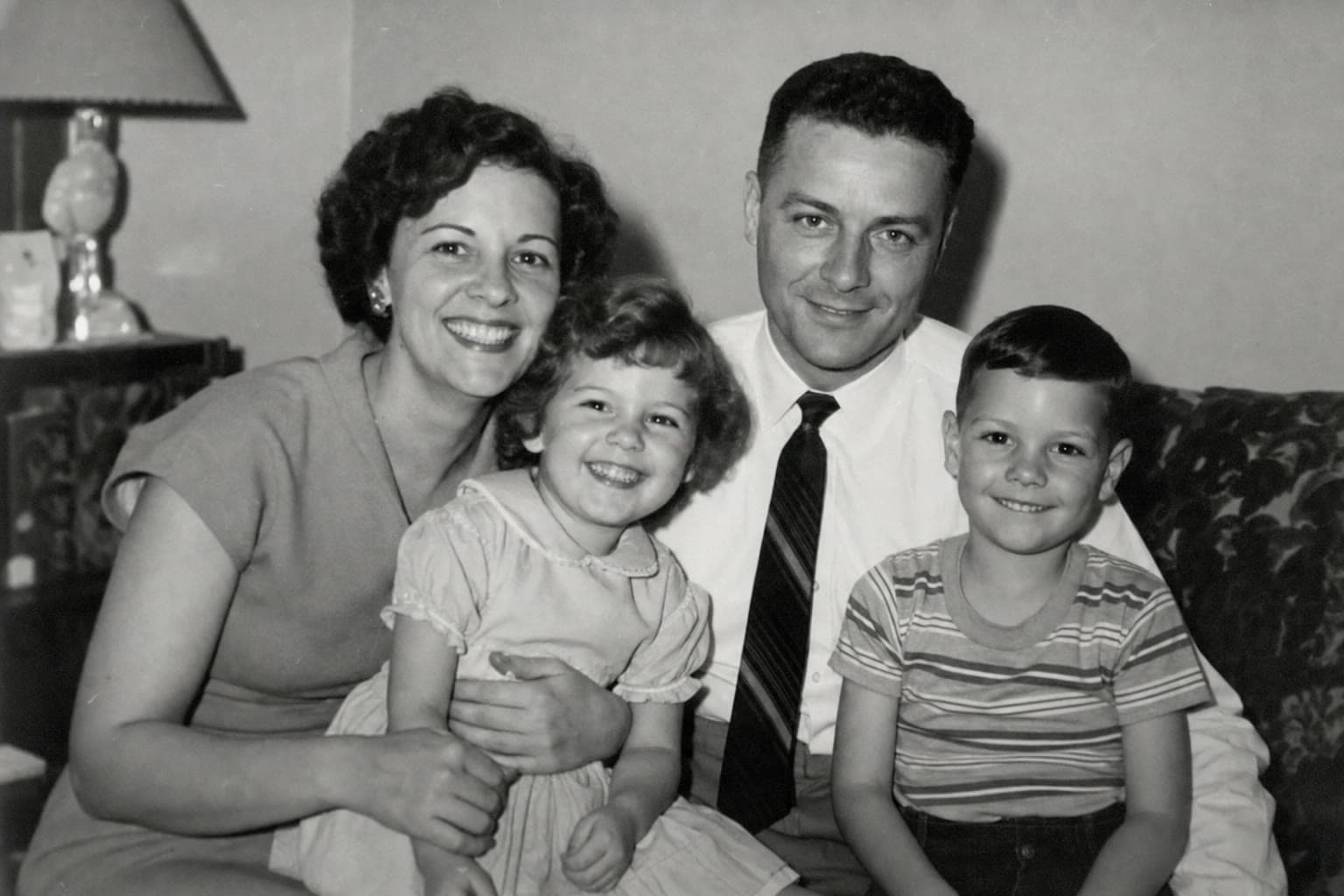 Before
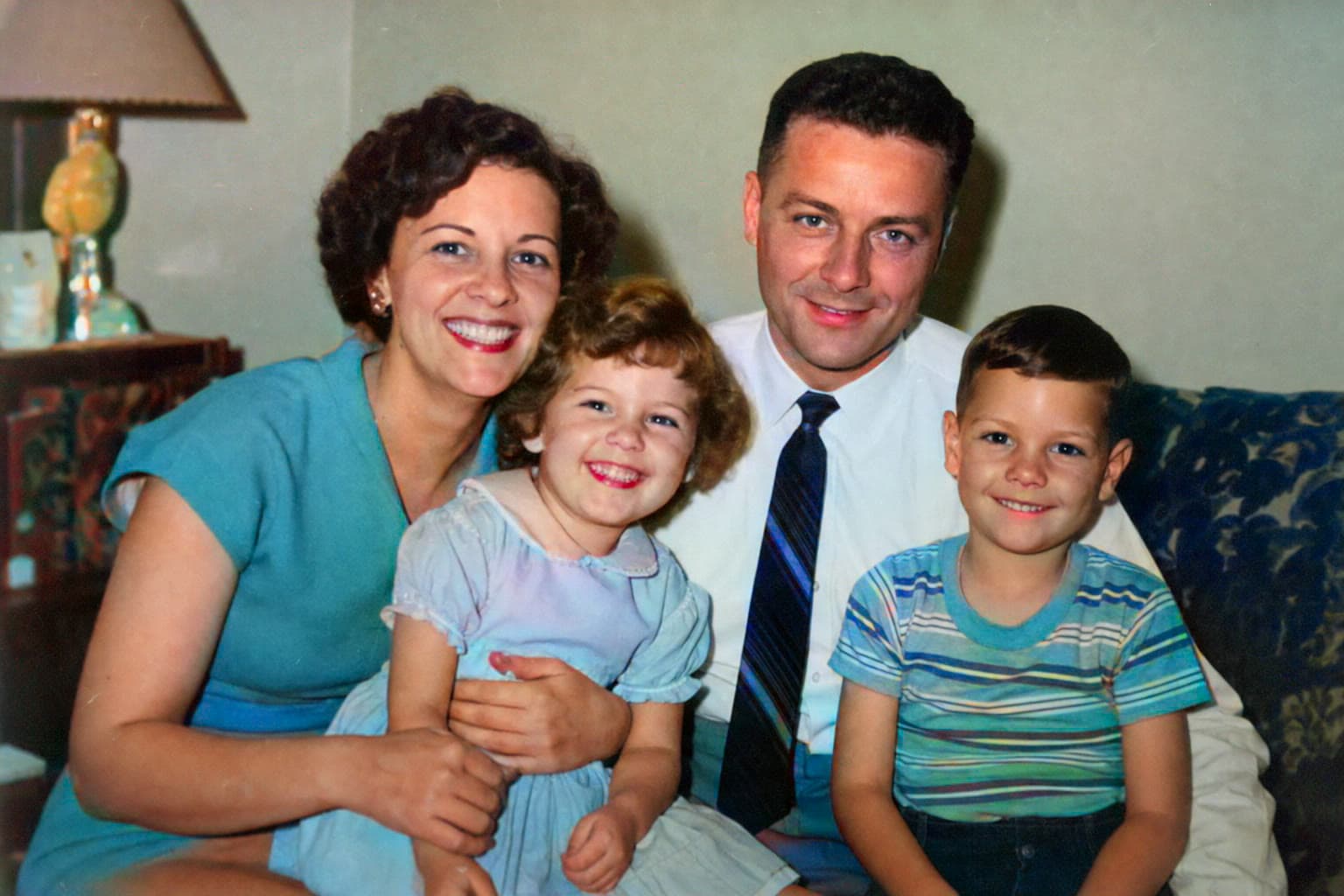 After
AfterThe model recognizes common visual patterns in faces, clothing, interiors, plants, and skies to propose a coherent palette.
Create a complete first pass in one workflow instead of selecting and painting every part of the photograph by hand.
Compare the colorized version with the black-and-white source and keep both files for different uses.
A photo colorizer analyzes objects, surfaces, lighting, and context, then predicts colors that are plausible for similar scenes. Faces receive skin tones, plants are interpreted as foliage, and common materials such as wood, brick, or fabric are assigned a coordinated palette. The result is generated from visual probability, not hidden color information inside the original image.
This means the image can feel convincing without being historically exact. A dress may have been red even if the AI chooses blue. Use family knowledge, uniforms, flags, product references, or written notes when exact color matters.
Well-exposed portraits and outdoor family photographs are strong candidates because the subjects and scene elements are easy to distinguish. Wedding pictures, childhood portraits, military photographs, street scenes, and travel photos can all work when the source has useful contrast and visible detail.
Very dark images, blown highlights, tinted paper, and scans covered by texture may produce less stable color. If a face is blurry or the source is very small, run Restore first and use the clearer result as the input for Colorize.
Look beyond the first emotional impression. Check skin tones, hands, eyes, hairlines, and the edges between clothing and background. Uniforms, ceremonial clothing, and architecture deserve special attention because their real colors may carry historical meaning.
For family sharing, label the result as AI-colorized rather than an original color photograph. This preserves the value of the work without confusing a new interpretation with the historical source.
Common questions
They are plausible estimates based on visual context. The model cannot know the actual color of a specific dress, wall, vehicle, or object without outside evidence.
Yes. Sepia and faded monochrome scans can work, although a neutral, well-balanced scan often gives the model clearer tonal information.
Ambiguous, overexposed, or textureless areas may not contain enough visual cues for confident color. A higher-quality scan or a restoration pass may help.
No. The current tool lets you download the generated result without adding a ColorizeOldPhoto watermark.